
The first thing to do is to credit your account, which will then be debited with the expenses incurred by your employees.
Account login
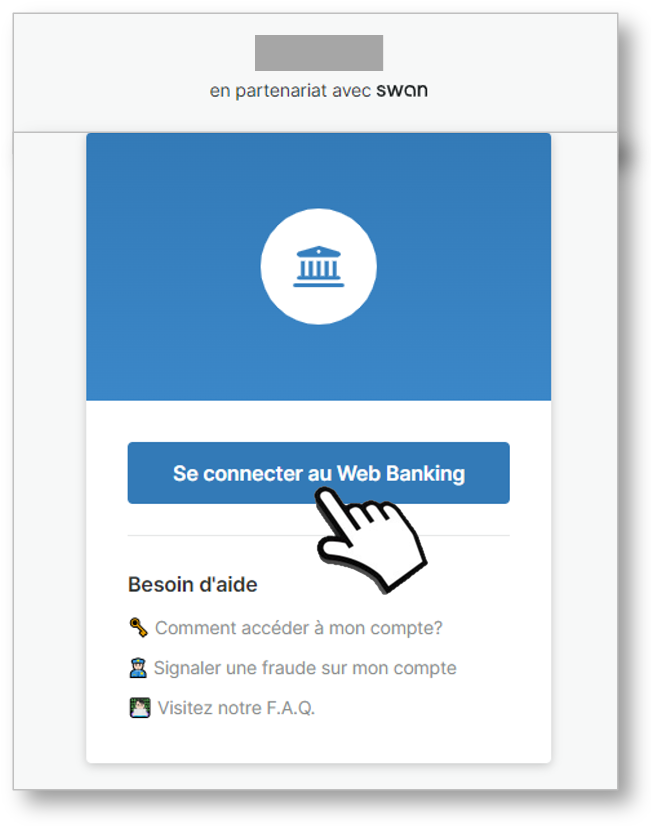
1. On the BU dashboard, click on the ‘Bank account management’ tile.

A new tab opens in the browser for the rest of the procedure, which takes place at Swan.
IBAN authentication and retrieval
On your 1st connection, you will be asked to authenticate yourself:
enter your mobile number → send an SMS → click on the link
Your Swan account is displayed. The balance is €0. Click on MORE and ACCOUNT DETAILS, the IBAN of your electronic money account is displayed:
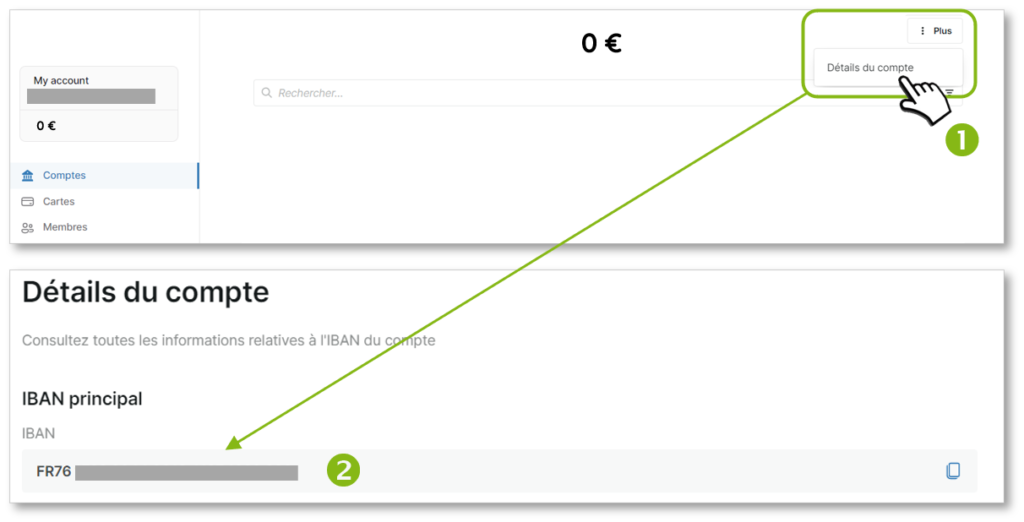
You can now make a bank transfer from the Company’s bank account to credit your Business Unit’s Mobility Pack account.
Manual replenishment
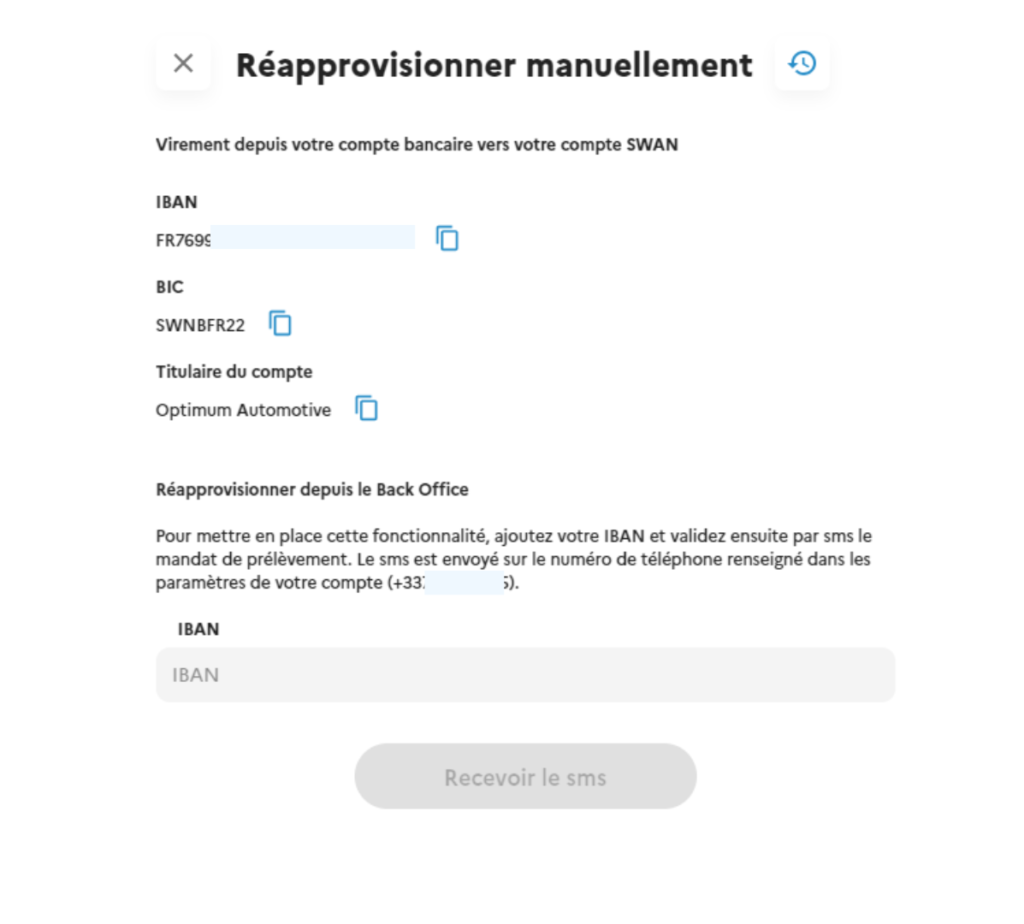
You can consult the account to make repayments and replenish from the platform by deciding on an amount and validating via RIB and direct debit mandate.
Automatic replenishment
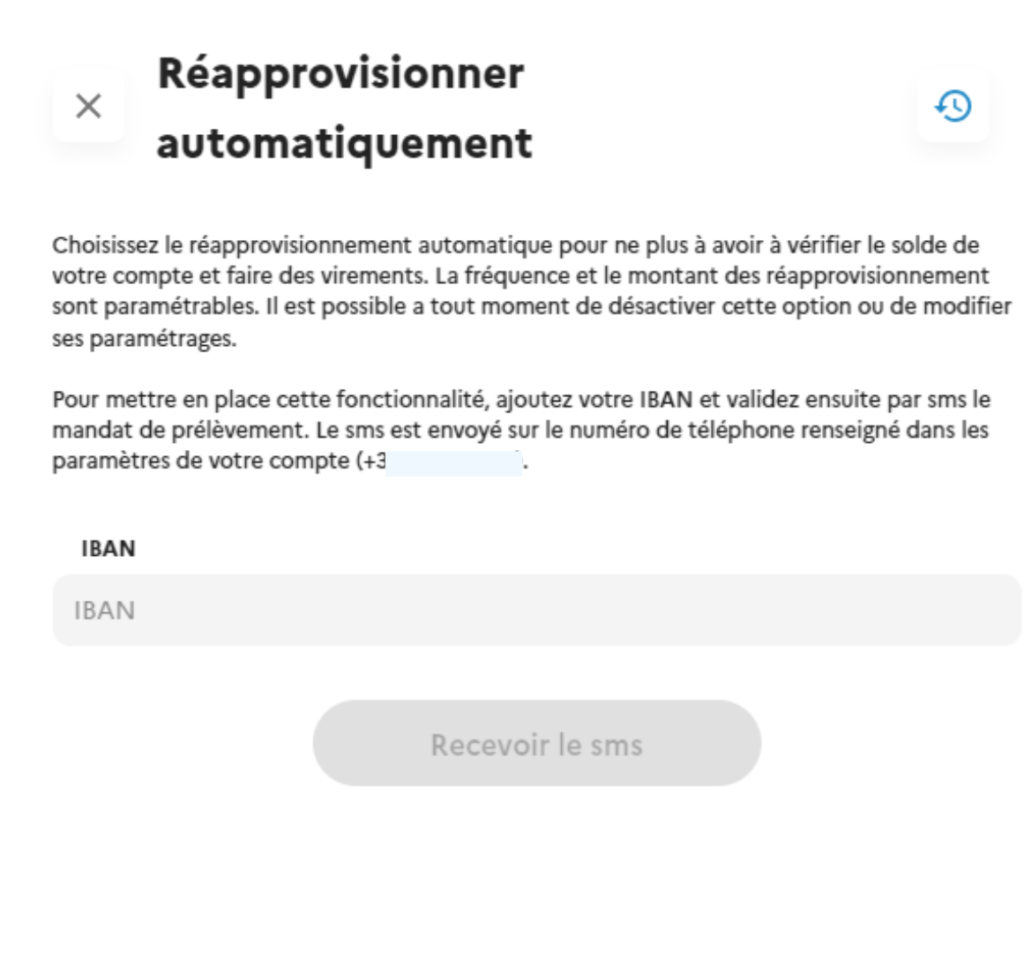
Once the IBAN has been set up and the direct debit mandate signed, users can define a minimum threshold and an automatic replenishment amount. A transaction history is also available. Minimum thresholds and automatic replenishments ensure that accounts always have sufficient funds.