
You can export all your expenses in CSV format.
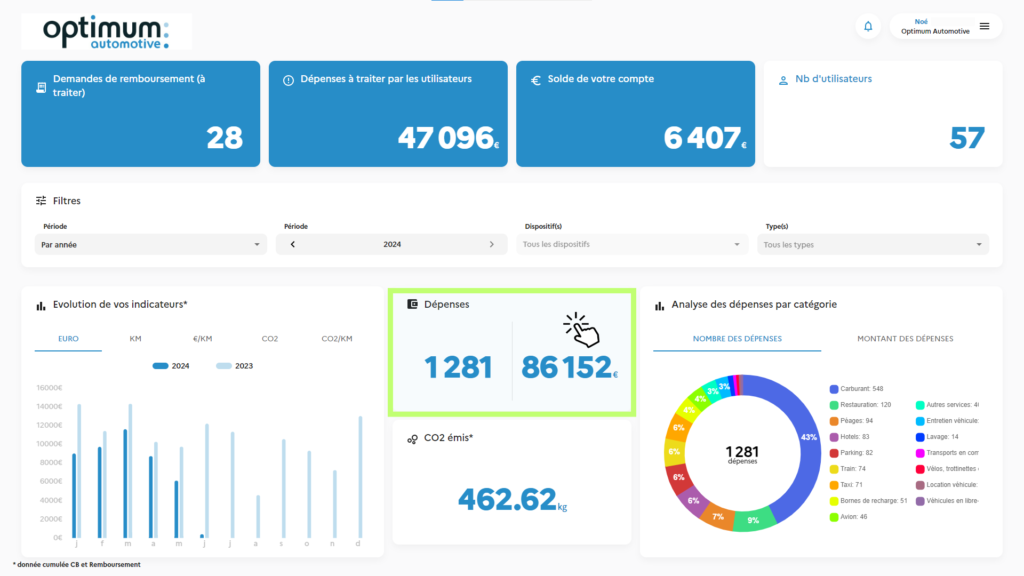
1. Click on the “Expenses” tile
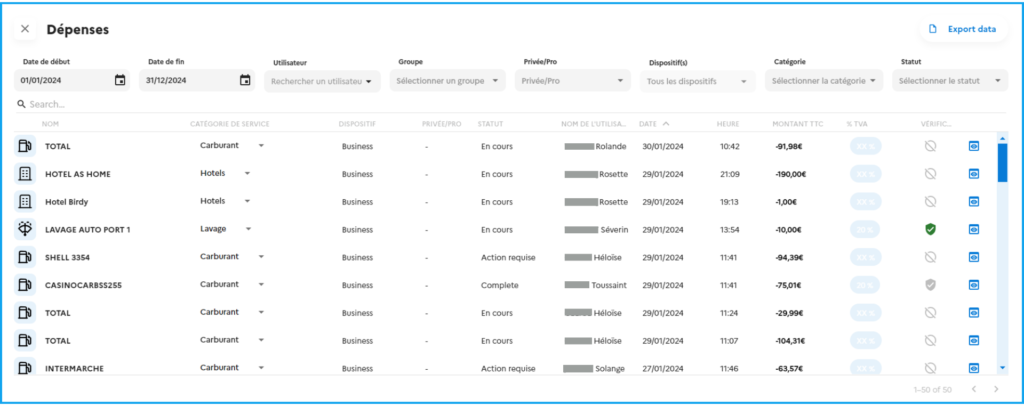
2. The filter bar shows you the various possible criteria: start and end dates of the export, the user ONLY concerned or the group, if it concerns private/pro expenses, the devices, the category of the expense, and the status of the reimbursement request.

3. Your expenses are displayed:
4. Select the fields to be displayed in the .csv file
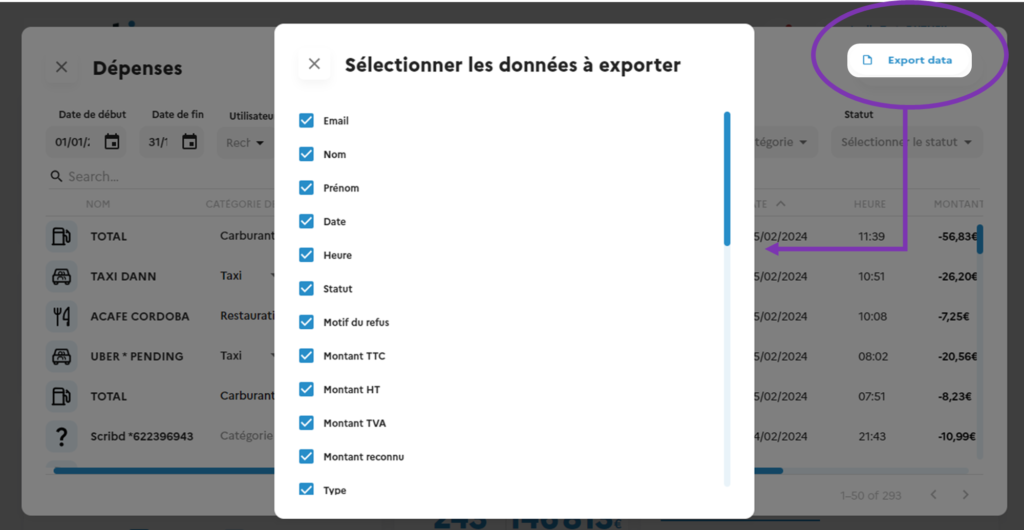
9. Click on “Export”.