
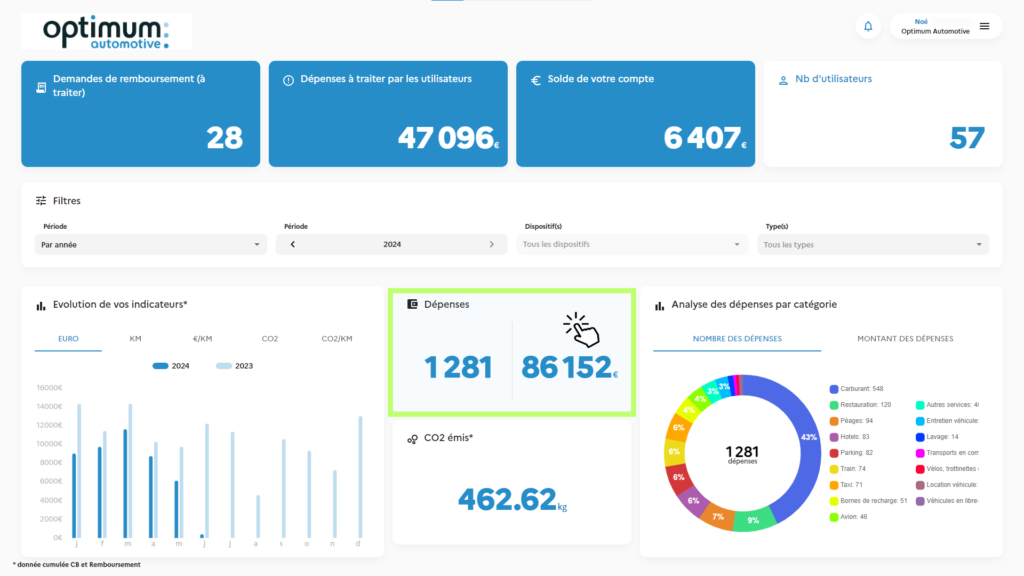
You can view all the expenses incurred by employees:
Click on the “Expenses” tile
The associated service category (can be changed if there is an error)
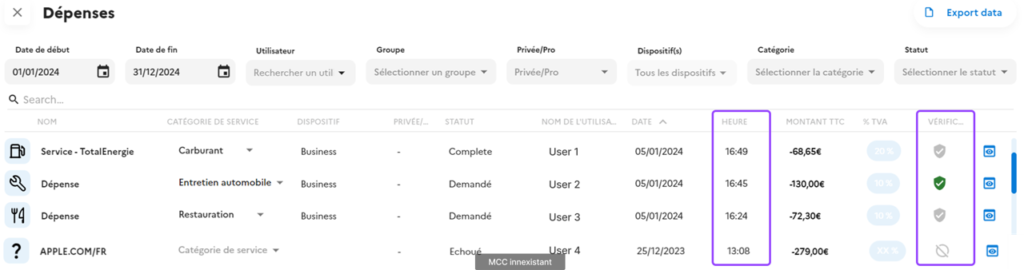
Each expense is displayed:
- The associated service category (can be changed if there is an error)
- The associated service category (can be changed if there is an error)
- The associated plan
- The user at the origin of the expenditure
- The date of the expenditure
- Location of expenditure
- The VAT rate applied (to be defined by the manager at the time of the consultation)
- The amount
- Detection of the amount on the receipt provided
- The ability to view the receipt
- The option of attaching supporting documents (.png/.jpg/.pdf)