
Functional architecture of a B.U.
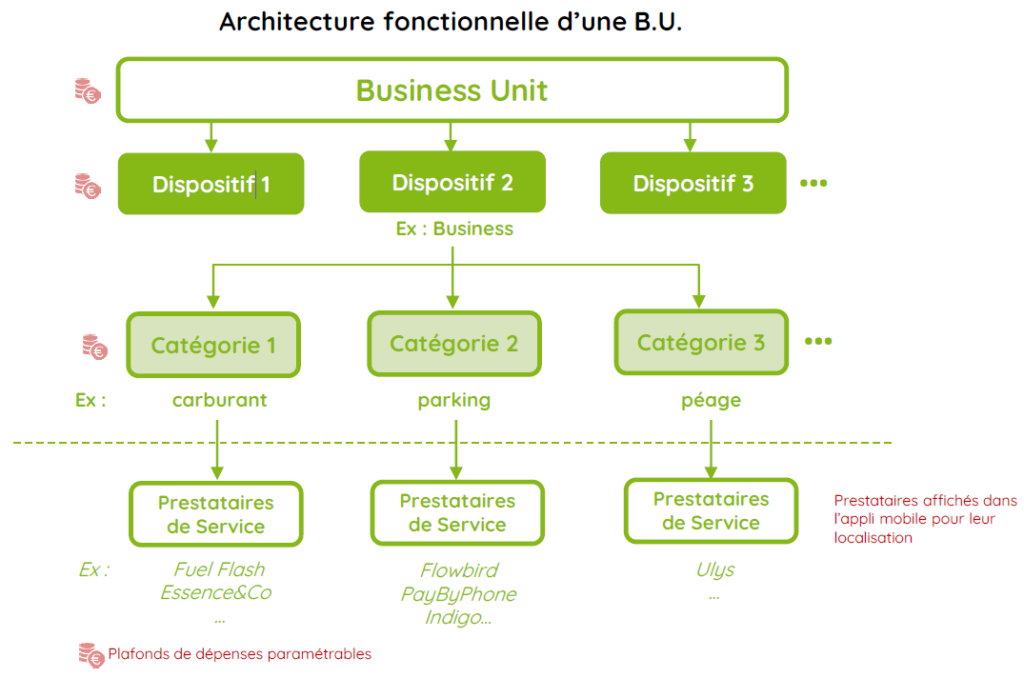
Global settings for the B.U.
Preamble: the model created on the U.B. applies to all U.B. users in terms of U at the level of: Expenditure ceilings, Features, Expenditure categories, etc.

2. Setting spending limits
Principles : The model created on the 1st BU applies to all BUs created subsequently.
4 types of expenditure ceilings : • Annual ceiling • Monthly ceiling • Daily ceiling • Ceiling per transaction
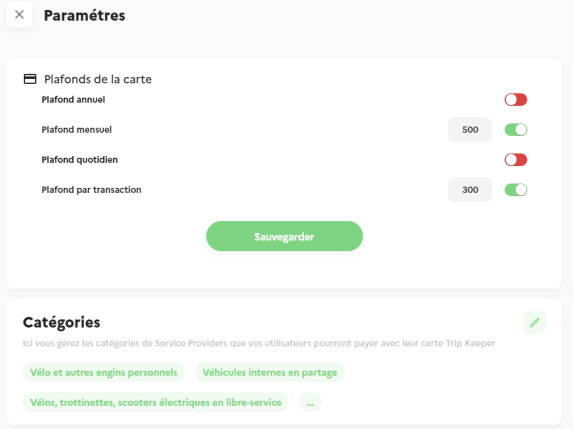
Il n’est pas obligatoire de définir chaque plafond
SAVE changes
Individual settings take precedence over BU settings
3. Plans settings
Device refers to a “legal” scheme such as the Sustainable Mobility Package (SMP) or Mobility Credit, or a “Portfolio” or expense item (e.g. an event, a cost centre, a function (marketing), etc….) to which the expenses incurred by Users will be charged. Each Device contains a selection of Expense Categories. For example: Taxi, car hire, parking, restaurant, fuel….
a. Plans selection
1. Activated plans are shown in the block at the top right of the screen. 2. To add a new plan: click on the pencil icon at the top right of the block.
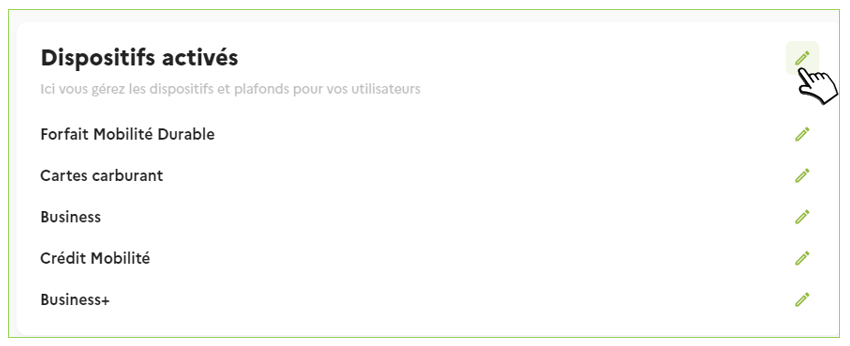
3. In the new window, all the proposed Plans are listed.
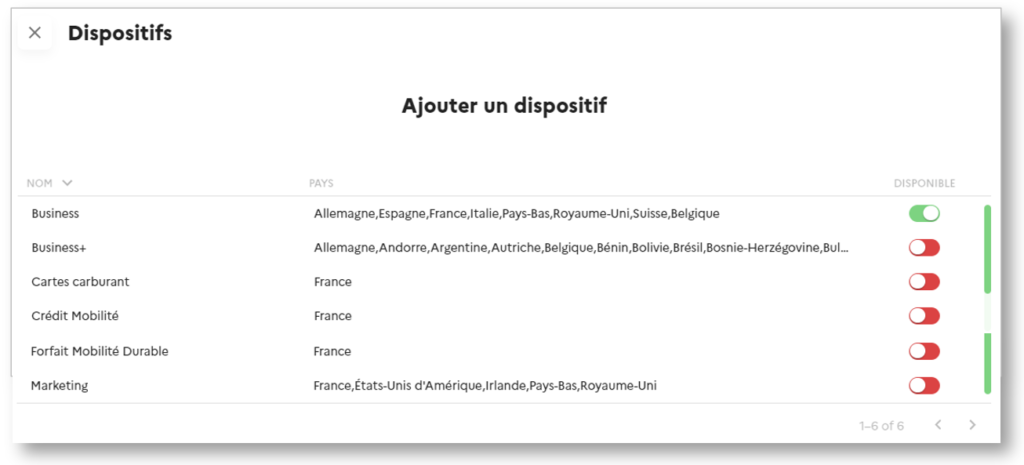
Click on the button to activate or deactivate a plan.
No need to register, the action is immediate.
User impact: plans are displayed in users’ mobile app to affect their spending.
b. The proposed plans
Mobility Pack offers ready-to-use devices, but you can request others that we will create for you (ask your sales advisor).
c. Sustainable Mobility Package
The Forfait Mobilité Durable (FMD) is a financial support scheme for employees travelling to and from work.
The annual limit per employee: – Up to €700, exempt from tax and social security contributions, particularly when combined with a public transport season ticket. – Up to €800 when combined with public transport costs.
Eligible means of transport:
- Bicycles and electrically-assisted bicycles (personal and rented)
- Carpooling
- Personal mobility equipment, mopeds and motorbikes (for hire or self-service)
- Car-sharing with electric, plug-in hybrid or hydrogen-powered vehicles
- Public transport (excluding subscription)
- Personal motorised vehicles (scooters, single-wheelers, Segways, skateboards, hoverboards, etc.)
d. Mobility Credit
Crédit Mobilité takes the form of a budget envelope, the amount of which corresponds to the price difference between the cost of the company car and that of the alternatives chosen by the company and/or the employee.
The annual limit per employee can range from €3.000 to €10.000, or from €250to €833per month.
Setting spending limits
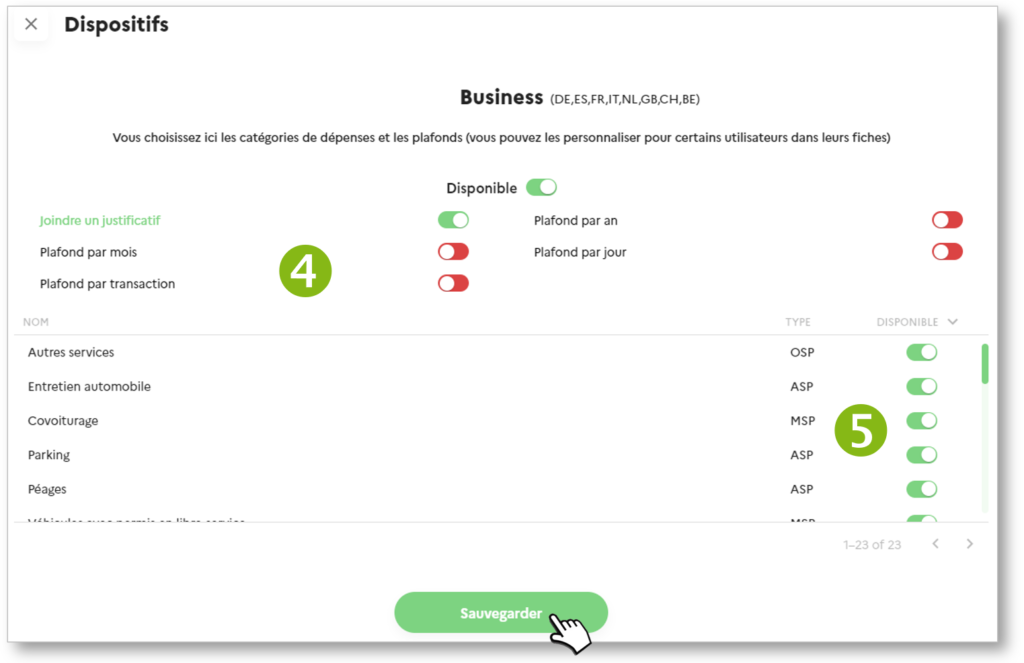
4. Once you have set the expenditure ceilings at BU level, you have a 2nd level of settings for the Devices. Optional ceiling settings
Authorisation of expenditure categories
5. Selection of spending categories authorised for this device: active/inactive Mobility Pack offers ready-to-use Categories, but you can request others that we will create for you (ask your sales advisor).
6. SAVE Categories are required by law (L.O.M). You can deactivate certain Categories. However, you cannot add any
Setting the authorised categories
A Category is a group of service providers, chains and networks where the Trip Keeper card will be accepted. For example, if you activate the FUEL Category, Users will be able to pay in all shops that dispense fuel. By default, Mobility Pack provides most of the Categories related to mobility. However, you can ask your sales advisor for others.
At this level, you identify and configure the Categories that you will use in Mobility Pack. You assign these Categories to Devices in another another section.
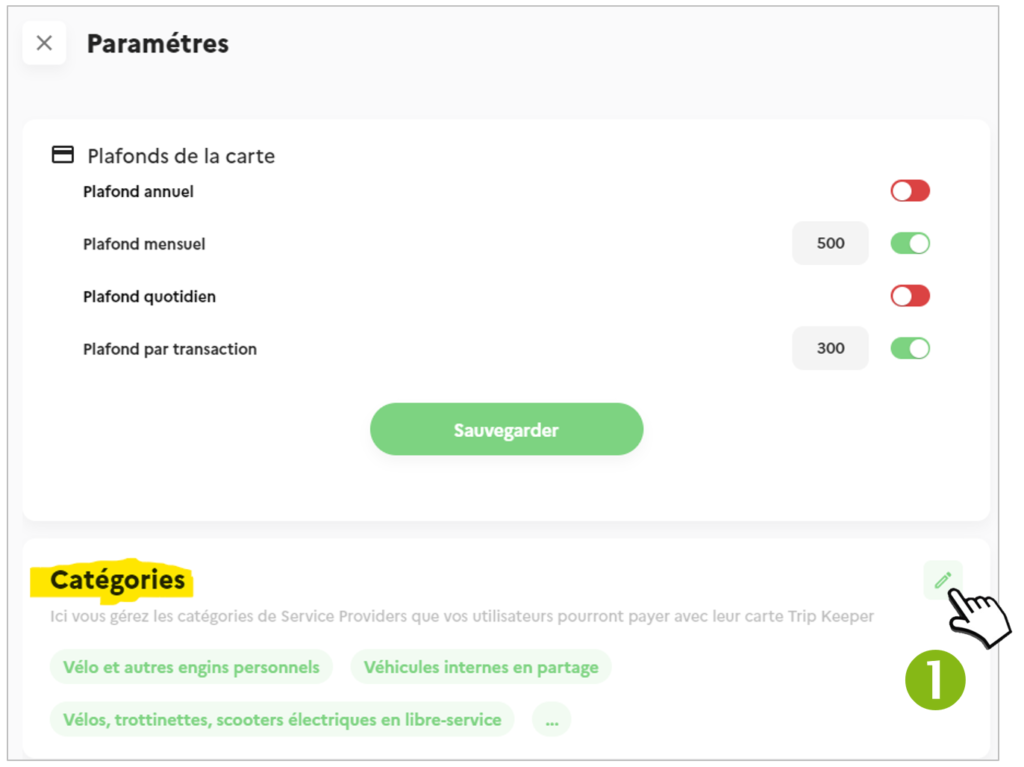
1. A preview of the Categories is visible on the Settings page. Click on the icon to access the list of Categories:
All Categories are listed:
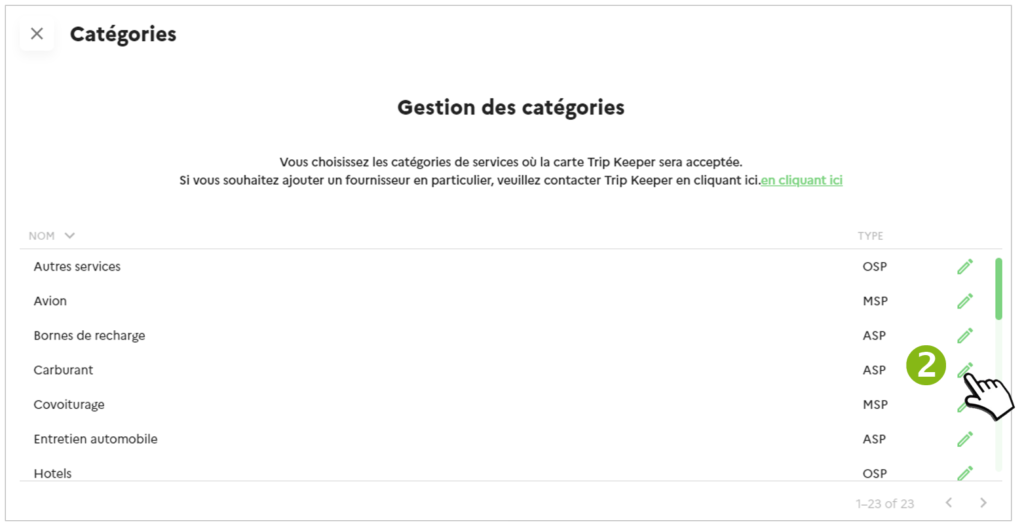
2. Click on the icon to access the Category details:
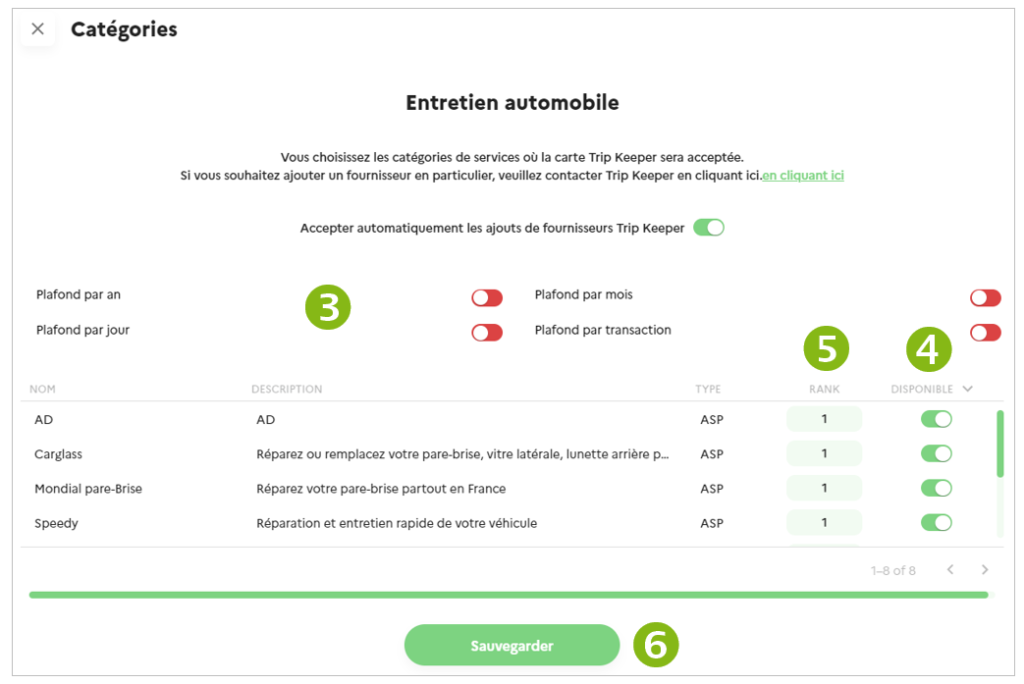
3. Set spending limits (optional) on the Category.
4. If any Service Providers are present, they are displayed (ACTIVE ) or not ( INACTIVE) in the Mobility Assistant of the Users’ mobile application.
5. Enter the order in which the Provider is displayed in the list on the mobile application.
6. SAUVEGARDER