
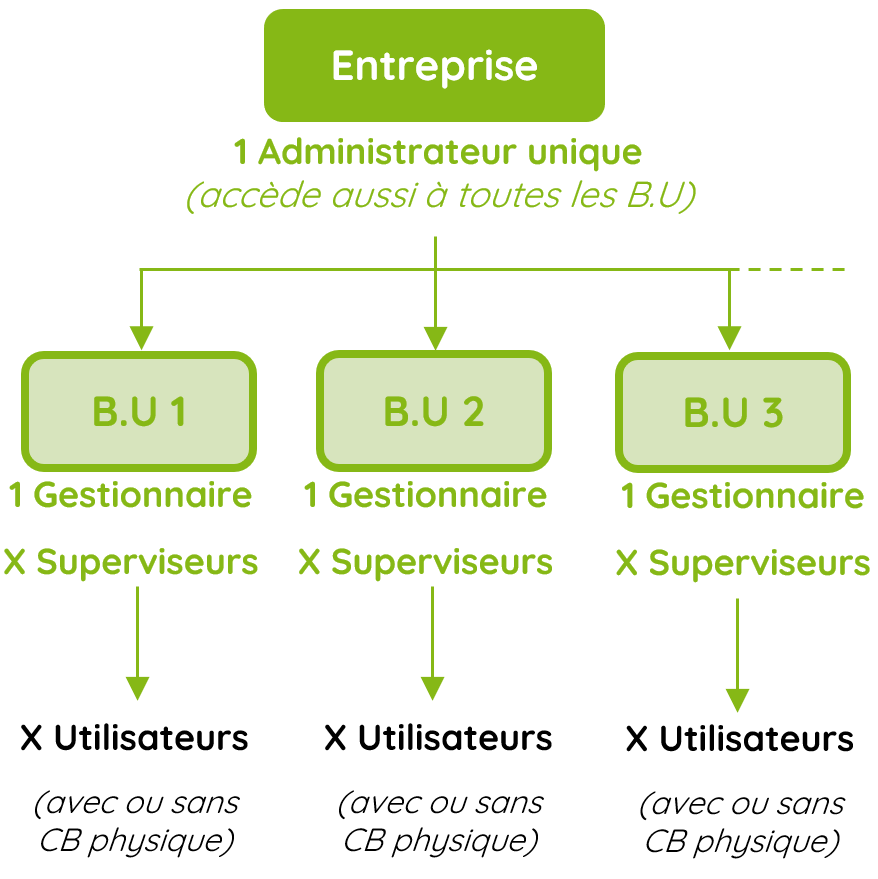
I. Structure des niveaux
En dessous du profil Super Administrateur, il existe un niveau Administrateur qui peut :
- Gérer et modifier une BU
- Créer et modifier des dispositifs (Crédit Mobilité, Forfait Mobilités Durables)
- Créer et modifier les CGU
Le Gestionnaire accède aux comptes B.U en mode « Ecriture » (modification)
Il peut créer des Superviseurs en mode « Ecriture « ou « Lecture
seule » (ne peux rien modifier).
N.B.: the user must first have been created in the B.U.
Confirmation of the Manager’s identity is done via a mobile phone procedure.
The Supervisor receives an email to initialize the password.
Creation of supervisors in a B.U.
Reminder: the Manager (unique) is automatically created when the BU is created. They have access to the BU in Write mode (modification).
The Manager can create Supervisors in Write or Read-only mode.
N.B.: the user must first have been created in the User Box.
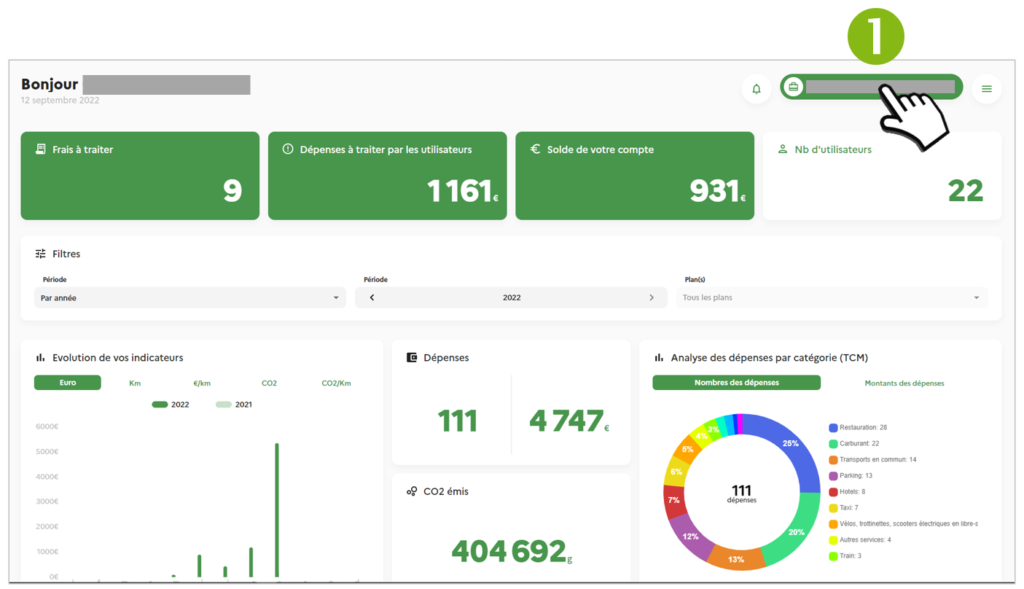
1. Click on the account button
2. In the window, click on “Access the account”
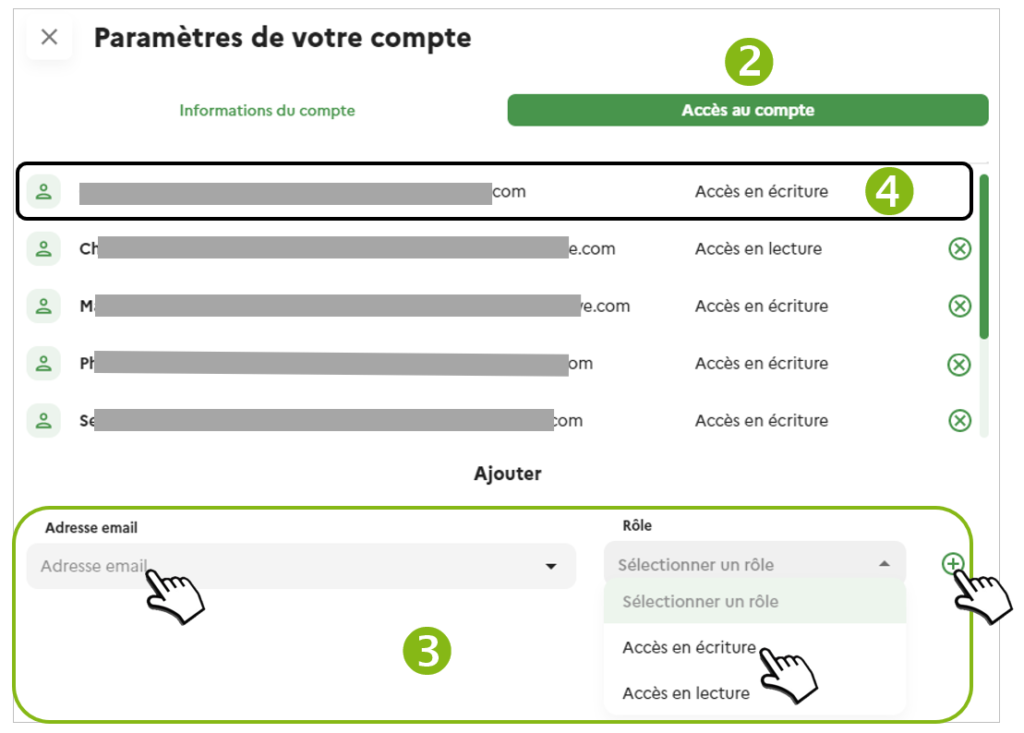
3. In the “add” section
Type the Supervisor’s email.
Select the role (Write or Read)
Click on (+)
The system will ask you to confirm your identity on your phone (text, link).
The Supervisor has been added, and will receive an initialization e-mail for their password to access the Mobility Pack platform.
To delete the Supervisor, click on the (X) next to his name. After he’s been identified, the Supervisor wil be deleted from the list.
The main BU Manager, cannot be deleted.