
Add user

Cliquez sur “Nb Utilisateurs”. La fenêtre des utilisateurs s’ouvre alors. Sur la partie droite vous avez accès à la création de nouveaux utilisateurs :
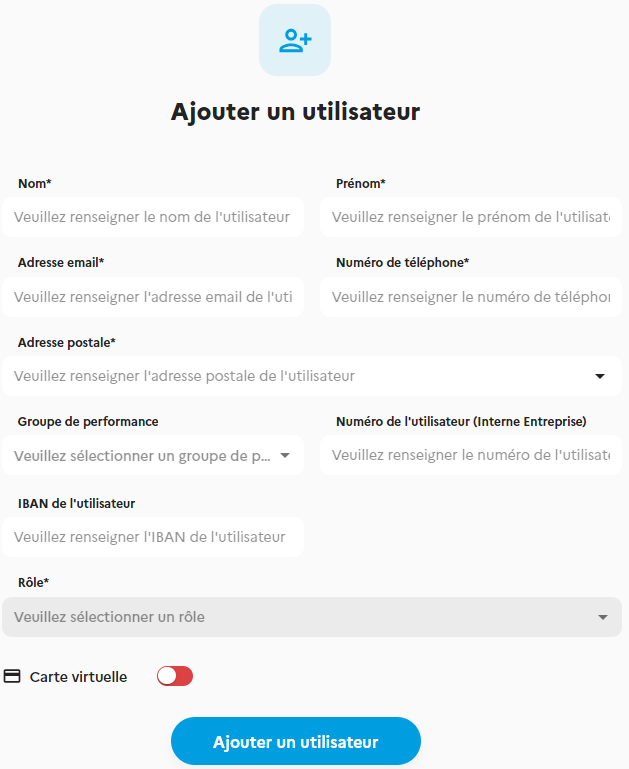
Enter the User’s details. In the case of reimbursement of costs advanced by the User, the IBAN field is used to record the User’s bank details so that the bank transfer can be made to reimburse the User.
User role
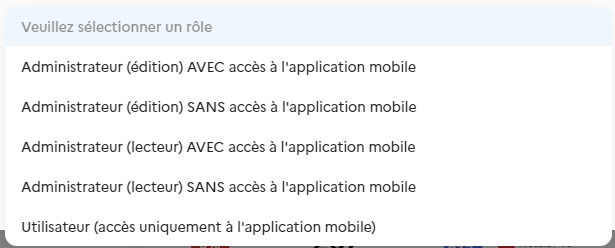
Vous devez définir le statut et le niveau de responsabilité que vous accordez à ce nouvel utilisateur. Pour en savoir plus sur les rôles, cliquez ici.
User with or without (virtual) card
– If you want to assign a virtual payment card to the User, drag the button over the BLUE area. Please note: this is not a physical payment card! (That’s the next step). It is a virtual payment card for dematerialised spending (on the web or via the telephone). – If you don’t want to assign a means of payment to the User, leave the button on RED. Click on “Add a User” to save, then close the window.
Physical card or virtual card
✓ Option 1: Virtual card only: you don’t have to do anything. The virtual payment card is available in the user’s mobile application. The latter can use it to make online payments only. If users save their virtual card in their phone’s digital wallet, they will be able to make contactless payments.
Option 2: Physical card (in addition to the virtual card). You can order a physical payment card for a User. To do this, go to its file in the Information section.
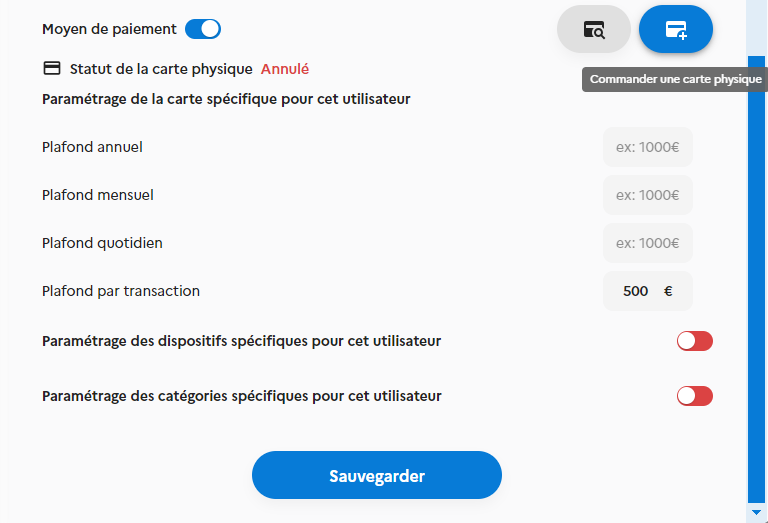
Click on the ORDER A PHYSICAL CARD button.
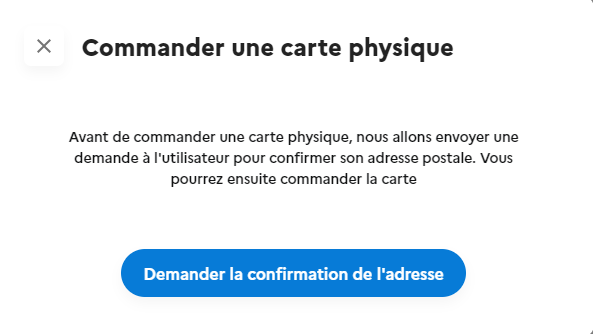
The system sends an email to the user (+ notification on their
mobile app) inviting them to confirm the delivery address
of the Card.
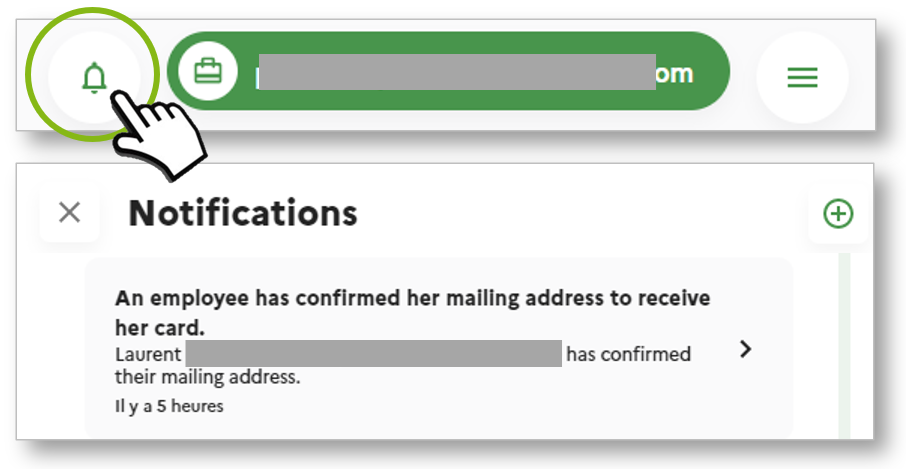
Mass addition of users
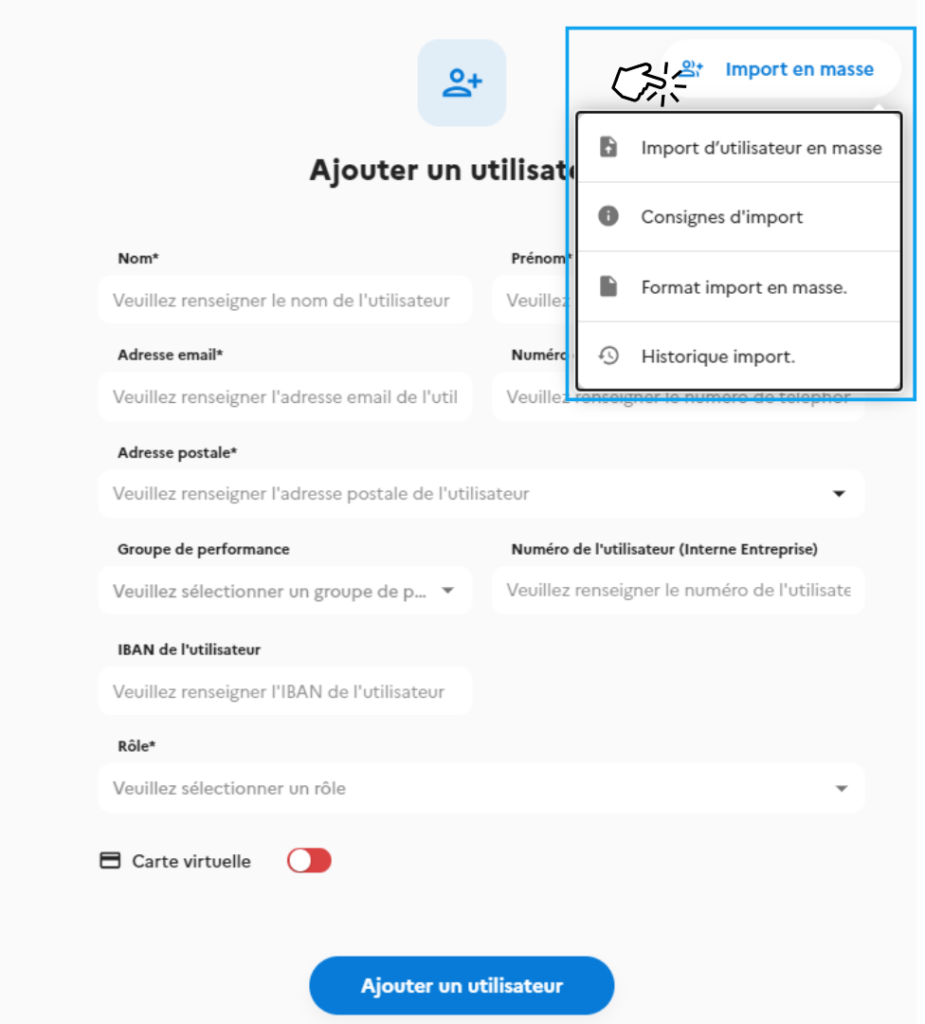
If you want to import your employees en masse, this is possible from the “Add a user” page.
Click on “Mass import format” to download the Excel file to be filled in and then submitted in “Mass user import”. Les consignes de formatage sont disponibles dans le menu déroulant.
⚠️ If you do not follow the instructions, the file, and therefore your platform, will contain errors.
The import history allows you to view previously submitted files.
Type of subscription
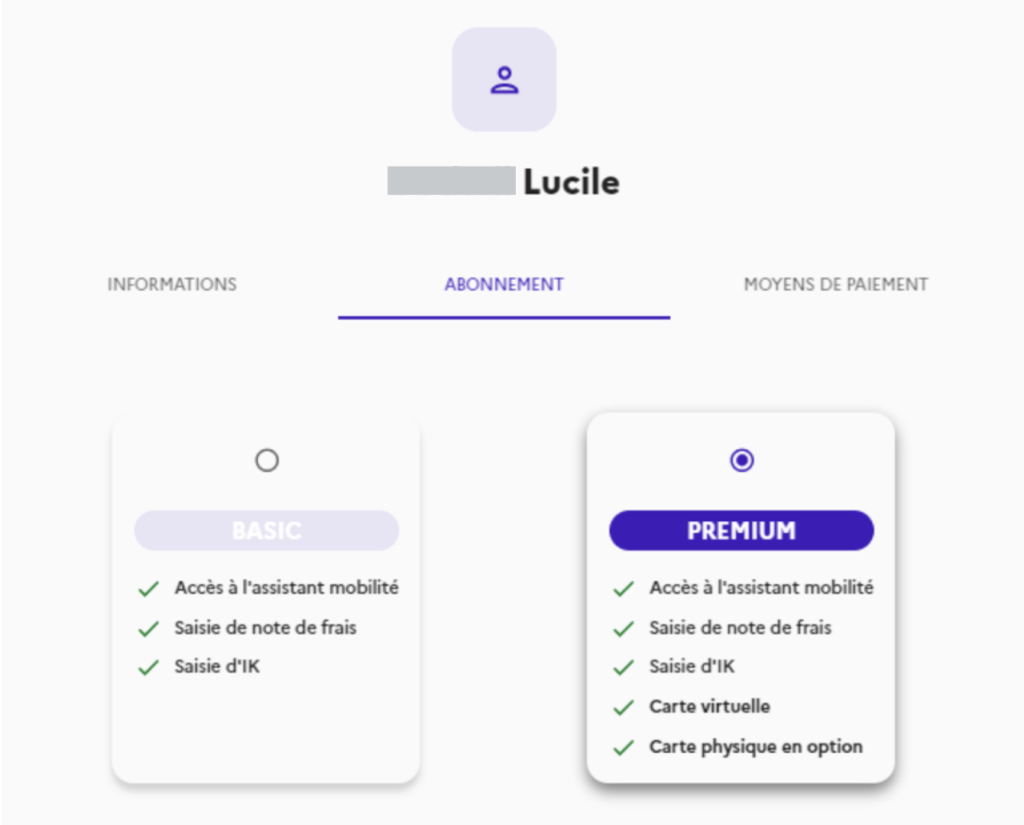
There are two types of subscription; the choice is made when creating a user, and switching from one formula to the other
- With payment card: €8.90/month -> PREMIUM package
- Without payment card: €2.90/month -> BASIC package